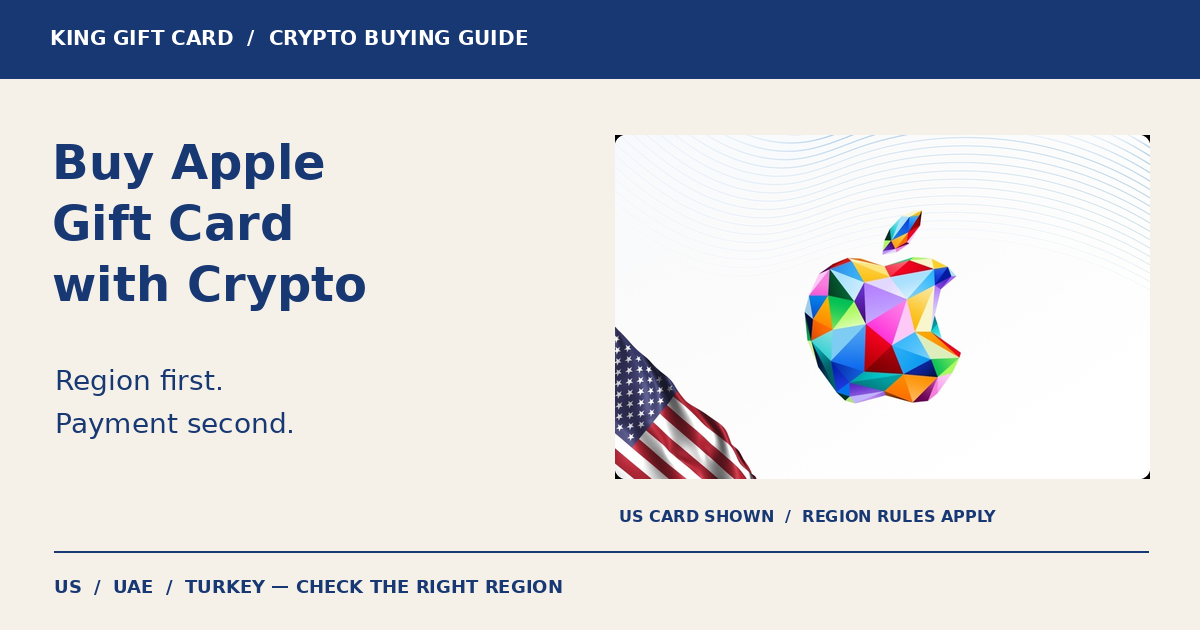
To buy apple gift card with crypto, first choose a card that matches the recipient’s Apple country or region, select the amount, and follow the cryptocurrency payment instructions shown at the retailer’s checkout. Payment buys the gift-card code; Apple redemption is a separate step with its own regional rules.
King Gift lists Apple Gift Card US, Apple Gift Card UAE and Apple Gift Card Turkey. Start with the correct regional product, then check its live price and terms before paying. A lower price on another region’s card is not a reason to assume it will work for your account.
Choose the Apple gift-card region before choosing the amount
Apple says a gift card cannot be redeemed outside its country or region of purchase. Check the recipient’s Apple Account country or region and the exact card’s restrictions. Neither the language on an iPhone nor the buyer’s current location proves the correct card region.
| King Gift product | Face-value currency | What to confirm |
|---|---|---|
| Apple US | USD | US eligibility and the intended purchase under US terms. |
| Apple UAE | AED | UAE eligibility and supported Apple Media Services use. |
| Apple Turkey | TRY | Turkey eligibility and the specific voucher’s permitted uses. |
If you are buying from Hong Kong, Japan, Kuwait, Algeria or another country, ask about the recipient’s intended Apple storefront instead of choosing from their address alone. This guide does not promise that a US account setting makes overseas redemption possible. If eligibility is unclear, confirm it before buying; do not change regions simply to force a cheaper code to work.
For more detail, read our Turkey region guide or UAE Apple gift-card guide. This article focuses on the buying decision and payment checks.
How to buy an Apple gift card with crypto
- Open the correct regional listing. Read its description, restrictions and current availability. Choose the recipient’s compatible product.
- Select the face value. Compare it with the final payable price. A USD, AED or TRY gift-card amount is not the cryptocurrency amount you must send.
- Review checkout details. Check the email address, order details, payable currency and payment options actually offered.
- Select an available crypto payment route. Use the coin, network or payment service shown for that order. Do not assume every method mentioned in an older article is still available.
- Follow the payment request exactly. For an on-chain request, verify the network, destination, required amount and any displayed payment deadline. For a hosted payment service, follow its confirmation screen.
- Keep the order reference. Check the retailer’s order status and delivery instructions. Once supplied, keep the gift-card code private and redeem through Apple’s official channels.
Use the instructions on the active payment screen rather than an address saved from a previous order. Sending payment and receiving the voucher are separate events; if the status is unclear, check the existing order before starting another one.
What to check when paying with USDT, Bitcoin or another coin
Availability depends on the payment routes offered in your checkout. If USDT is offered, do not treat every network carrying USDT as interchangeable. If Bitcoin or another asset is offered, use the exact asset and instructions shown. Review any displayed fee or wallet withdrawal deduction before confirming the amount.
A hypothetical USD 25 gift card does not necessarily cost 25 units of a token. The card’s face value, retailer price and crypto payment request are three different figures. Compare the final quote without assuming a fixed exchange rate, discount or fee.
Do not send an additional payment just because a confirmation is taking longer than expected. Check the order, payment reference and transaction details first. Contact King Gift privately with your order reference if you need help; no gift-card code or wallet recovery phrase belongs in a public support post.
What happens after your Apple code arrives?
Review the intended account before redemption. Apple’s current redemption instructions explain the App Store process on iPhone and other supported devices. Use the official instructions if the interface differs from an older guide.
Eligible uses can include apps, in-app purchases, subscriptions and other Apple content. Hardware and accessory eligibility depends on the card type and country; do not assume a regional digital-services card pays for devices. Apple also notes that some purchases require another payment method. See its eligible-use guidance before choosing a card for a specific purchase.
If redemption fails, distinguish a retail-order issue from an Apple code error. For the former, keep the King Gift order reference. For the latter, record the exact error and consult Apple’s gift-card troubleshooting guide. Do not keep attempting redemption on unrelated accounts.
Common mistakes when buying Apple gift cards with crypto
| Mistake | Better approach |
|---|---|
| Choosing the cheapest country’s card | Confirm regional eligibility before comparing amounts. |
| Using the phone language as a region check | Review the Apple Account country or region and card terms. |
| Confusing face value with crypto payable amount | Check the current order’s complete quote. |
| Sending USDT on a different network | Match the exact network shown in the payment request. |
| Paying again without checking the first order | Review its payment and fulfillment status first. |
| Assuming every Apple-branded card buys hardware | Verify the card type and country-specific uses. |
Frequently asked questions
Can I buy an Apple gift card with USDT?
Use USDT if the active King Gift checkout offers it for your order, and follow the network and amount displayed. Check the live options rather than relying on an old payment screenshot.
Can I pay with Bitcoin?
Choose Bitcoin only if it appears in your checkout. The retailer payment route is separate from Apple’s redemption process.
Can someone in Japan or Hong Kong use a US card?
Do not assume so from a US account setting alone. Apple applies country or region restrictions. Confirm the exact card’s eligibility for the intended recipient before purchase.
Should a UAE resident always choose a UAE card?
Confirm the recipient’s Apple Account country or region and intended use. A residential address alone is not enough to establish the right product.
How long does delivery take?
Check the live product and order information. Payment confirmation, verification and fulfillment can affect timing; this guide makes no fixed delivery promise.
Does paying with crypto remove Apple’s region restrictions?
No. The way you pay the retailer does not change the voucher’s region or eligible uses.
Confirm the region, then review the payment request
The best starting point is a compatible card and a purchase the recipient can actually make. Review King Gift’s US, UAE and Turkey listings, check the live price, and follow the current checkout instructions.